Token Management
Tokens are your AI Router API credentials — each token can have its own permission scope and quota limit
In AI Router, a token is the API credential you pass as the Authorization: Bearer ... header when calling the gateway. Each token can be configured independently with its own permission scope and quota limit, so you can issue separate keys for different apps, environments, or teammates without sharing your account password.
Open the token list from "Tokens" in the left sidebar, or visit /console/token directly.
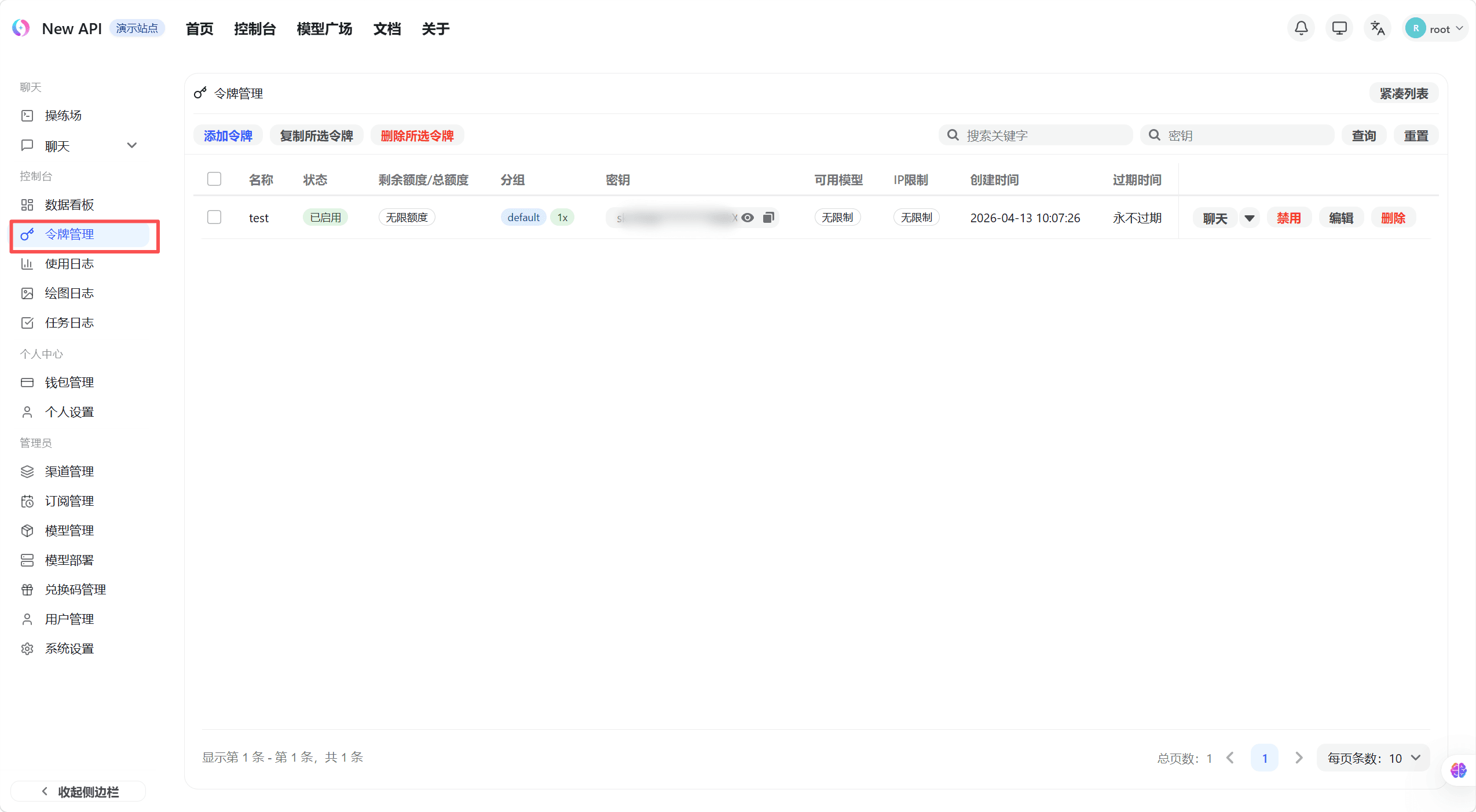
The token list shows every token you have created along with its name, status, used quota, remaining quota, and expiration time.
Create a Token
Click the "Create Token" button in the top-right of the token list page. A creation dialog appears.
Enter a token name. Name it by purpose so it is easy to recognize later — for example Production, Testing, or Local CLI.
Configure the options below as needed.
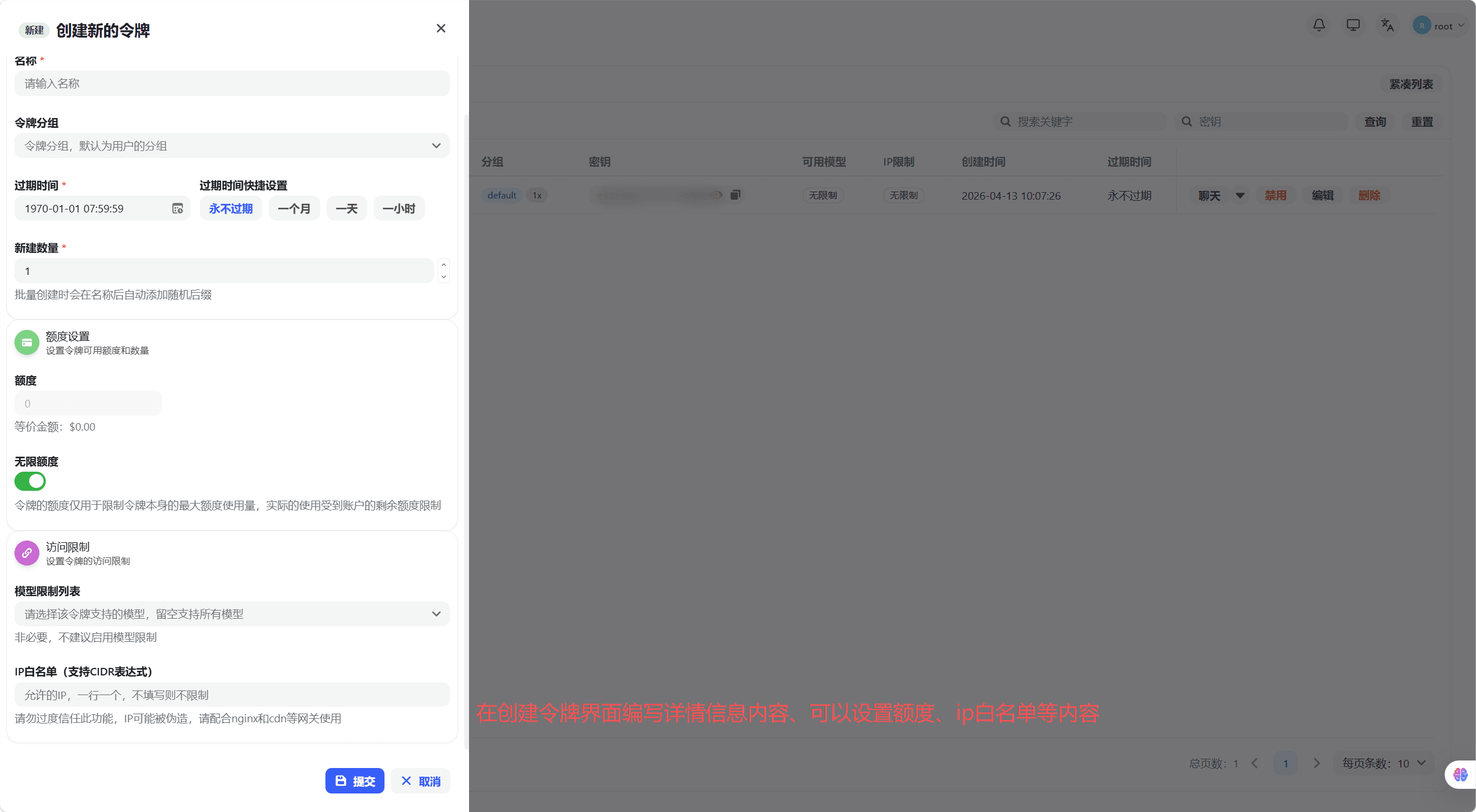
| Option | Description |
|---|---|
| Expiration | Set an expiry date; leave blank or set to -1 for no expiration |
| Remaining Quota | Caps the maximum quota this token may consume; the token is auto-disabled once exceeded |
| Unlimited Quota | When enabled, the token has no per-token quota limit (it is still bounded by your account's total quota) |
| Model Restrictions | Restrict this token to specific models; leave blank to allow all models your account can reach |
| IP Allowlist | Restrict the source IPs allowed to use this token; leave blank for no restriction |
| Group | Select which channel group this token routes through |
Click "Submit". The dialog then displays the complete token key. Copy and save it immediately — it cannot be viewed again after you close the dialog.
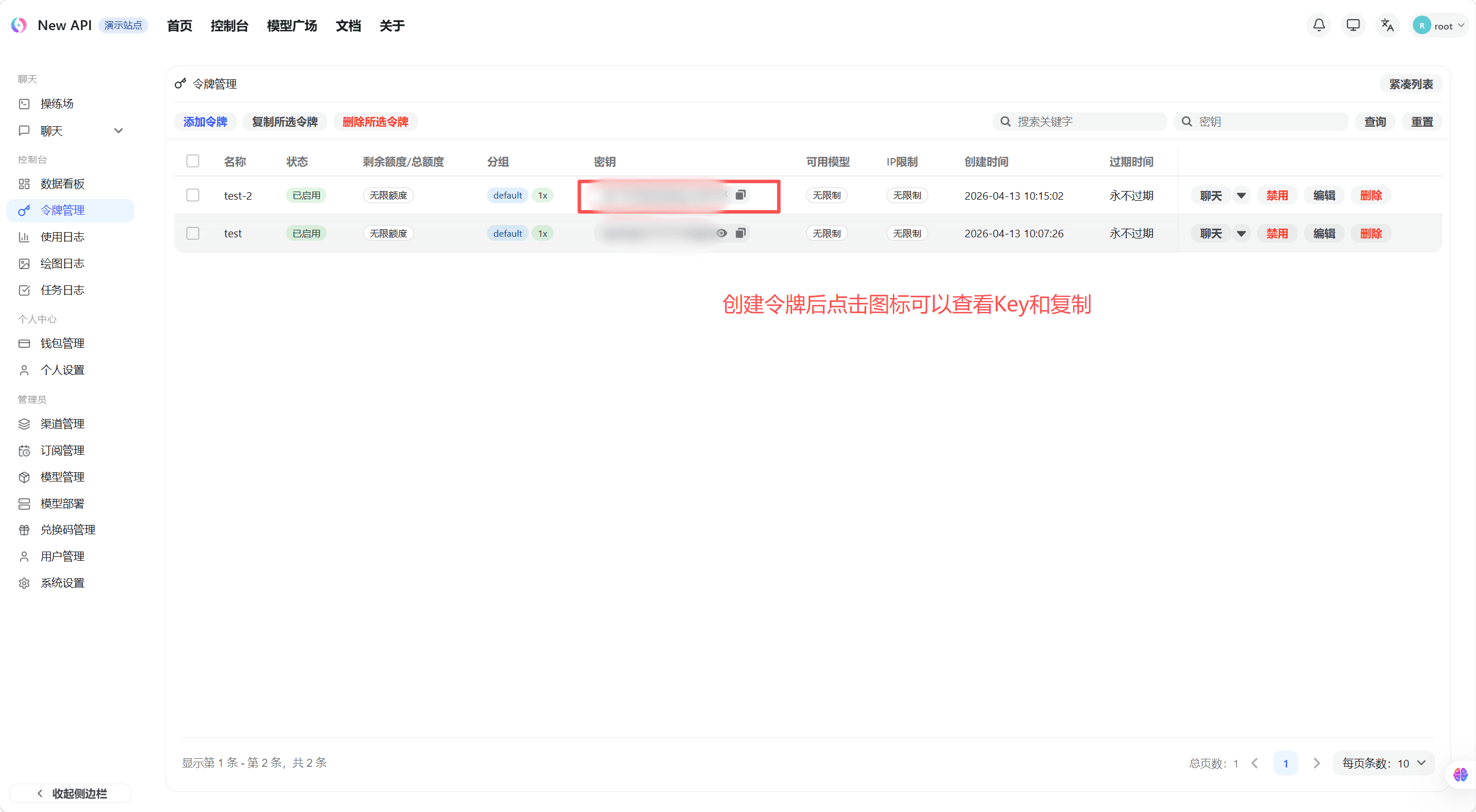
The token key is shown in full only once, at creation time. Copy and store it somewhere safe right away. A token key grants full API-call permissions — never share it, and never commit it to a code repository.
Use a Token
A token is the only secret you need to call AI Router. Point your OpenAI-compatible client at the gateway base URL and pass the token as the API key:
- Base URL:
https://ai.sammier.com - OpenAI-compatible endpoint:
https://ai.sammier.com/v1 - API key: the token you copied above
curl https://ai.sammier.com/v1/chat/completions \
  -H "Authorization: Bearer sk-your-token-here" \
  -H "Content-Type: application/json" \
  -d '{
    "model": "your-model-name",
    "messages": [{"role": "user", "content": "Hello"}]
  }'
The model names available to a token depend on its Group and any Model Restrictions you set. If a call is rejected for an unknown model, check those two settings first.
Manage Tokens
From the token list you can, for each row:
- Edit — change the name, expiration, quota, model restrictions, IP allowlist, or group.
- Enable / Disable — temporarily switch a token off without deleting it. A disabled token rejects all calls until re-enabled.
- Copy — copy the token's stored value again where the interface allows it.
- Delete — permanently remove a token. Any client still using it will immediately stop working.
Good practice
- Issue one token per application or environment so you can revoke a single key without disrupting everything else.
- Set a Remaining Quota on tokens used by experimental or shared code to cap worst-case spend.
- Use Model Restrictions and an IP Allowlist to narrow what a leaked token could do.
- Rotate tokens periodically: create a new one, switch your client over, then delete the old one.
If something behaves unexpectedly or you want to report an issue, the project's GitHub repository is the feedback channel: github.com/ssgzy/Router-new-api.
How is this guide?
Last updated on